SPONSORS

Thursday, 28 February 2013

Five Steps to SEO-Friendly Site URL Structure

Screen1 (SEJ)Some people say there is no such thing as SEO-friendly URL structure. They claim that search engines are perfectly capable of making sense of any type of URL and pretty much any URL structure. In most cases, the people who say this are web developers (just so you know, I love Web devs).

I’ve noticed that sometimes web developers and SEOs live in two parallel universes, each with its own center of gravity. While web developers basically care about crawlability, site speed, and other technical things, SEOs are mostly focused on what constitutes their sacred grail: website rankings and ROI.

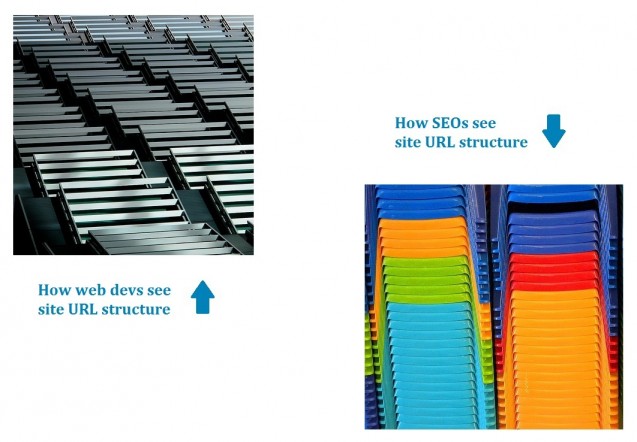
Hence, what may be an OK site URL structure to a web dev, could be a totally SEO-unfriendly URL architecture to an SEO manager:
Screen2 (SEJ)

What is an SEO-friendly URL structure?

First of all, let me start by saying that it is always better to call in an SEO manager early in the development stage, so that there is no need to make sometimes hard-to-implement tweaks afterwards.

From an SEO point of view, a site’s URL structure should be:

  • Straightforward: URLs with duplicate content should have canonical URLs specified for them; there should be no confusing redirects on the site, etc.
  • Meaningful: URL names should have keywords in them, not gibbering numbers and punctuation marks.
  • With emphasis on the right URLs: SEO-wise, not all URLs on a site are of equal importance as a rule. Some even should be concealed from the search engines. At the same time, it is important to check that the pages that ought to be accessible to the search engines are actually open for crawling and indexing.

So, here is what one can do to achieve an SEO-friendly site URL structure:

1. Consolidate your www and the non-www domain versions

As a rule, there are two major versions of your domain indexed in the search engines, the www and the non-www version of it. These can be consolidated in more than one way, but I’d mention the most widely accepted practice.

Most SEOs (in my experience) use the 301 redirect to point one version of their site to the other (or vice versa).

Alternatively (for instance, when you can’t do a redirect), you can specify your preferred version in Google Webmaster Tools in Configuration >> Settings >> Preferred Domain. However,this has certain drawbacks:

  • This takes care of Google only.
  • This option is restricted to root domains only. If you have an example.wordpress.com site, this method is not for you.

But why worry about the www vs non-www issue in the first place? Thing is, some of your backlinks may be pointing to your www version, while some could be going to the non-www version.

So, to make sure that both versions’ SEO value is consolidated, it’s better to explicitly establish this link between the two (either via the 301 redirect, or in Google Webmaster Tools, or by using a canonical tag – I’ll talk about that one a bit further).

2. Avoid dynamic and relative URLs

Depending on your content management system, the URLs it generates may be “pretty” like this one:

www.example.com/topic-name

or “ugly” like this one:

www.example.com/?p=578544

As I said earlier, search engines have no problem with either variant, but for certain reasons it’s better to use static (prettier) URLs rather than dynamic (uglier) ones. Thing is, static URLs contain your keywords and are more user-friendly, since one can figure out what the page is about just by looking at the static URL’s name.

Besides, Google recommends using hyphens (-) instead of underscores (_) in URL names, since a phrase in which the words are connected using underscores is treated by Google as one single word, e.g. one_single_word is onesingleword to Google.

And, to check what other elements of your page should have the same keywords as your URLs, have a look at the screenshot 3 of the “On-Page SEO for 2013: Optimize Pages to Rank and Perform” guide that we released recently.

Besides, some web devs make use of relative URLs. The problem with relative URLs is that they are dependent on the context in which they occur. Once the context changes, the URL may not work. SEO-wise, it is better to use absolute URLs instead of relative ones, since the former are what search engines prefer.

Now, sometimes different parameters can be added to the URL for analytics tracking or other reasons (such as sid, utm, etc.) To make sure that these parameters don’t make the number of URLs with duplicate content grow over the top, you can do either of the following:

  • Ask Google to disregard certain URL parameters in Google Webmaster Tools in Configuration > URL Parameters.
  • See if your content management system allows you to solidify URLs with additional parameters with their shorter counterparts.

3. Create an XML Sitemap

An XML Sitemap is not to be confused with the HTML sitemap. The former is for the search engines, while the latter is mostly designed for human users.

What is an XML Sitemap? In plain words, it’s a list of your site’s URLs that you submit to the search engines. This serves two purposes:

  1. This helps search engines find your site’s pages more easily;
  2. Search engines can use the Sitemap as a reference when choosing canonical URLs on your site.

The word “canonical” simply means “preferred” in this case. Picking a preferred (canonical) URL becomes necessary when search engines see duplicate pages on your site.

So, as they don’t want any duplicates in the search results, search engines use a special algorithm to identify duplicate pages and pick just one URL to represent the group in the search results. Other webpages just get filtered out.

Now, back to sitemaps … One of the criteria search engines may use to pick a canonical URL for the group of webpages is whether this URL is mentioned in the website’s Sitemap.

So, what webpages should be included into your sitemap, all of your site’s pages or not? In fact, for SEO-reasons, it’s recommended to include only the webpages you’d like to show up in search.

4. Close off irrelevant pages with robots.txt

There may be pages on your site that should be concealed from the search engines. These could be your “Terms and conditions” page, pages with sensitive information, etc. It’s better not to let these get indexed, since they usually don’t contain your target keywords and only dilute the semantic whole of your site.

The robotx.txt file contains instructions for the search engines as to what pages of your site should be ignored during the crawl. Such pages get a noindex attribute and do not show up in the search results.

Sometimes, however, unsavvy webmasters use noindex on the pages it should not be used. Hence, whenever you start doing SEO for a site, it is important to make sure that no pages that should be ranking in search have the noindex attribute. Or else you may end up like this guy here:

5. Specify canonical URLs using a special tag

Another way to highlight canonical URLs on your site is by using the so-called canonical tag. In geek speek, it’s not the tag itself that is canonical, but the tag’s parameter, but we’ll just call it the canonical tag by metonymy.

Note: the canonical tag should be applied only with the purpose of helping search engines decide on your canonical ULR. For redirection of site pages, use redirects. And, for paginated content, it makes sense to employ rel=”next” and rel=”prev” tags in most cases.

For example, on Macy’s website, I can go to the Quilts & Bedspreads page directly, or I can take different routes from the homepage:

  • I can go to Homepage >>Bed& Bath >> Quilts & Bedspreads. The following URL with my pass recorded is generated:

http://www1.macys.com/shop/bed-bath/quilts-bedspreads?id=22748&edge=hybrid&cm_sp=us_catsplash_bed-%26-bath-_-row6-_-quilts-%26-bedspreads

  • Or I can go to Homepage >> For the Home >> Bed & Bath >> Bedding >> Quilts & Bedspreads. The following URL is generated:

http://www1.macys.com/shop/bed-bath/quilts-bedspreads?id=22748&edge=hybrid

Now, all three URLs lead to the same content. And, if you look into the code of each page, you’ll see the following tag in the head element:

Screen3 (SEJ)

As you see, for each of these URLs, a canonical URL is specified, which is the cleanest version of all the URLs in the group:

http://www1.macys.com/shop/bed-bath/quilts-bedspreads?id=22748

What this does is, it funnels down the SEO value each of these three URLs might have to one single URL that should be displayed in the search results (the canonical URL). Normally search engines do a pretty good job identifying canonical URLs themselves, but, as Susan Moskwa once wrote at Google Webmaster Central:

“If we aren’t able to detect all the duplicates of a particular page, we won’t be able to consolidate all of their properties. This may dilute the strength of that content’s ranking signals by splitting them across multiple URLs.”

Conclusion

Having SEO-friendly URL structure on a site means having the URL structure that helps the site rank higher in the search results. While, from the point of view of web development, a particular site’s architecture may seem crystal-clear and error-free, for an SEO manager this could mean missing on certain ranking opportunities.

Image credits: skyfish81via Flickr; Arbyreed via Flickr; Jo Dooher via Flickr

Alesia Krush

Alesia Krush

Alesia is an SEO and a digital marketer at Link-Assistant.Com, a major SEO software provider and the maker of SEO PowerSuite tools. Link-Assistant.Com is a group of SEO professionals with almost a decade of SEO experience. Based on their expertise, the company’s four-app SEO toolset was created, setting the industry’s benchmark for technology-driven Web promotion.
Alesia Krush

@AlesiaKrush

Follow @AlesiaKrush
Alesia Krush

+Alesia Krush

Alesia Krush

Latest posts by Alesia Krush (see all)

  • Five Steps to SEO-Friendly Site URL Structure - February 27, 2013
  • How to Promote Your Local Biz Using Social, Local and Mobile - May 3, 2012
  • On-Page SEO Factors: Which Ones Have the Most Impact on Rankings? - March 21, 2012

online marketing companies uk online marketing company uk

2013 Oscars: The Best & Worst Dressed Social Media Marketing Moments

The red carpetIf you are like most Americans, Sunday night was spent in front of the television watching Seth McFarland sing songs that ran much too long and make awkward jokes.  I was actually one of the few that did not watch the Oscars (I don’t have the attention span) but I did follow the buzz online.

As an online marketer, it’s always interesting to see how companies take advantage of events such as the Super Bowl, Oscars, Grammy’s, etc.  Many viewers are just as interested in seeing the glamorous outfits and train wrecks which can all be found on the red carpet.  Similarly, there were a select number of companies that successfully carried off an integrated Oscars marketing campaign, as well as some that just didn’t hit the mark.  Below you’ll find what I consider to be the best and worst “dressed” social media marketing moments from the Oscars.

Mobile Vs. Mobile

Best Dressed: @SamsungMobileUS
At first glance I was annoyed that my Twitter feed was jammed with what I considered Samsung’s attempt to hijack the #Oscars2013 hashtag.  However, upon further investigation I found that Samsung’s involvement was relevant, and even interesting.

Samsung shared a series of sketches of red carpet gowns that were created using their Galaxy tablet.  They also incorporated their own hashtag (#galaxyatwork) to keep the conversation going long after the Oscar’s closing ceremonies.

Marketing Tip: If you’re going to participate in a nationwide or worldwide event, make sure that you find a way to connect with your audience even after the curtain closes.

Samsung Mobile Oscars

Worst Dressed: @USCellular

Another mobile company that has been getting some heat was U.S. Cellular, and for good reason.  Every single tweet that I saw included their #HelloBetter hashtag (does anyone even know what that means?) and the quality of the content was subpar. 

While I think that U.S. Cellular was working to find a way to participate in the conversation without being overly promotional, there appeared to be no direct correlation between the Oscars, and their company.

Marketing Tip: If you don’t have a unique angle, then find another time to participate.

US Cellular Oscars

Mustard Makes A Comeback

Best Dressed: Can You Please Pass @TheGreyPoupon

Staying true to form, Grey Poupon relied on their tried and true catch phrases.  Fortunately for the mustard, they worked!  While utilizing hashtags such as #pardonme and #butofcourse may not have gotten the company trending, they were to say the least, entertaining.  I would have to say that my favorite tweet from Grey Poupon’s Oscars campaign was “If only the Society’s original score, “Dijon-na-na” was nominated.#pardonme”

Interestingly enough, Grey Poupon didn’t even use the #Oscars2013 hashtag but was still able to participate in the conversation!

Marketing Tip: Clever and creative pays off.

Grey Poupon Oscars

Greek Yogurt Gets In the Mix

Best Dressed: @chobani

Chobani’s Greek yogurt created a very clever series of ads shared on their Twitter account that while unassuming, took some smarts to create.  One of their best tweets of the night read: “We spent days planning tweets for the #O_ _ _ _ s.  But we couldn’t get them through legal.”  Additionally, Chobani was able to able to play off the red carpet frenzy by creating visual content which housed such tagline’s as: “About as glitzy as we get.” Featuring a a golden spoon.

Marketing Tip: Play to your audience.  Chobani has proven that catering to your audience and finding a way to connect through laughter can have an impact.

Chobani Oscars

What I would have liked to have seen more of is consumer brands taking advantage of social networks like Facebook and Pinterest to create Oscar Night posts and boards to help their customers find ways to get the red carpet looks for less.  Many companies are not prepared to take advantage of real time social media marketing opportunities, like Poland Spring, but others like Oreo have fully capitalized. With planned events like the Oscars, there’s more time to prepare and prepare creative in advance. Hopefully more brands will take advantage of future opportunities.

Do you think that B2C or even B2B companies took full advantage of the Oscars social media buzz?  What do you think they could have done differently?

Image via Shutterstock.


search engine optimisation expert search engine optimisation expert uk

Huge Site SEO: Optimizing for the Long, Long Tail

The biggest obstacle in my search for SEO nirvana has been the lack of an industry blog focused on huge site SEO. When I hear people talk about dealing with 1,000 pages as if it is a lot, I cry a little on the inside. They don’t know how good they have it.

What is huge site SEO? In my eyes, you need at least 100,000 pages to be considered a huge site. My site, Movoto.com, comes up with more than 15 million indexed pages.

site-movoto-search-result

For the most part, small and big ass sites overlap in their SEO strategies. Title tags, links, social shares, and xml sitemaps play a role; huge sites just do it all on steroids. But there are certain issues that only big sites face.

Here are some of the solutions I have seen to the specific challenges that a huge site encounters. The focus becomes long, long tail rankings.

Optimize for the Long, Long Tail

On a site with more than 15 million pages, head terms can naturally start at five words long (think “Los Angeles Homes for Sale”). The long tail is where you live. The long, long tail is what you optimize for.

One shining example is keyword repetition. I know, you’re saying this isn’t 2005, or whatever you old timers say was a long time ago. But when you have 15 million pages, page number 13,200,010 has negative pagerank (Well, not really, but close). How do you make it rank? You nail the point where keyword repetition maximizes the ranking potential.

My favorite example is Trulia, one of the largest real estate sites on the Web and a shining beacon of SEO strategy. Trulia deliberately repeats their the property’s address (their main keyword) eight times throughout the H1 and H2s.

repetition-of-keywords-in-h2

Another tactic that has seen its credibility hit hard has been computer generated content. But who said computer generated content doesn’t have value? If you can add it to a page and improve the user experience in the process, then it is just fine. Trulia uses it when there is no agent description. It has enough value that Google instant finds value in it.

trulia-example-of-computer-generated-content

Control the Link Juice Tsunami

There are two ways to maintain control over link juice flow: Link to everything or maintain a deliberate link strategy. While domain authority plays important role in which strategy to utilize, in my opinion, every site should maintain a deliberate link strategy.

Sites like Trulia and Zappos have so much domain authority they can’t possibly spread it thin enough. Have you seen Trulia’s footer? Try telling them that limiting a page to 100 links is the proper way to do SEO. Or take a look at the Zappos ocean (50+ links on every page):

zappos-ocean-of-links-in-footer

We mere mortals need to proactively, and thoughtfully, determine where to aim our limited link juice. Since we don’t have the domain authority to link to every page from every page, we have to place priority on particular categories with the aim of optimizing revenue. The tactics include, but (probably) aren’t limited to:

  • Deep Homepage links. You control what products or categories you want spiders, and users, to value the most
  • Deliberate non-linking. A good example of this practice is how we only link to off-market homes category page from one spot in each city. We are telling spiders to place significantly less value on off-market homes relative to active homes with our linking practices.
  • Pick “favorite” nearby cities, or similar products, where “favorite” really means revenue generating.
  • Know your links. Don’t have any extraneous internal links.
  • Remove sitewide external links (Facebook and Twitter, I’m looking at you).
  • Breadcrumbs
  • Footer links

Being smart about directing the flow of link juice significantly affects traffic when you are dealing with a large number of pages.

Beware the Dangers of Duplicate and Thin Content

Fifteen plus million pages makes dealing with WordPress duplicate content issues seem like chump change. It’s hard enough to get a long, long tail page indexed and ranking, you don’t want to make your life harder by splitting the juice between two of the identical pages.

There have been a ton of awesome tutorials on removing duplicate content, so I won’t bore you with the technicalities of how to remove it, but it is extremely important to deal with it preemptively. The “Rel Canonical” meta directive is your best friend in this regard. Adding rel canonical prevents any would be crazy links from creating duplicates at mass scale.

Here is a personal example where rel canonical prevents a ton of duplicate content on our site. Patrick.net, a real estate forum adds a “?source=Patrick.net” to some outbound links. That has “double trouble” written all over it as each of those links would create a duplicate of the target page.

Thin Content

Dealing with thin content is a moral dilemma for me: It can still be useful, even with limited information. In real estate, when a property goes off-market we are severely restricted in the amount of information we are allowed to show without a registration. (From what I’ve read, ecommerce sites face a similar issue with discontinued products.) We go from a page with the richest amount of content we offer, to one with essentially no content. People still search for these properties, so we don’t want to remove them.

We deal with it thusly:

  1. Certain properties get the 404 as soon as they go off market
  2. We only maintain a set amount of off-market properties in the html sitemap. This places higher importance on more recently off-market properties.
  3. After a set period of time, we 404 all properties.
  4. From a user experience perspective, get people who land on off-market properties to active properties.

Related nerd site note: We 301ed properties to the homepage until recently. It seems after a certain number of 301s Google will give the page that is being directed the same content as the target URL. Who knew?

Optimize the Crawl Quota

In order for Google to rank your long tail content, Google needs to be able to find it and index it. When you create 10,000+ new pages per day, there are some things you want to optimize/maximize:

  1. Load and response times
  2. Find-ability
  3. Domain authority

Load and Response Times

The more quickly Google can crawl your pages, the more pages Google crawls. This isn’t rocket science here, but the results speak for themselves. Jonathan Colman’s graph says it all.

load-times-and-page-crawl

Find-ability

Find-ability, a concept I just made up, relates directly to the idea of flowing link juice to the most important pages with a flat site architecture. When Google crawls 500,000 pages on an off day, you want to be sure that spider is sucking in the appropriate pages. Getting down to category and product pages quickly is paramount because, again, we are optimizing for the long, long tail.

There are other ways to help lead spiders in the right direction. If you link to the category page on every relevant product page, you increase the chance Google finds the product page. It then becomes very important that Google finds the newest, or most important, products on that category page.

Live example: Zillow does something incredibly interesting in this regard. They order homes by featured listings if you search on their site for Los Angeles. BUT, start a private session and search on Google for “Los Angeles Zillow” and Zillow orders homes on the page by newest on market.

Based on the above logic that more links to a page make them more findable, you can make long tail product pages even more findable by interlinking them. Trulia’s a prime example again where they give preference to newest and most important related products:

preference-to-new-pages

Domain authority

The last, and probably best, way to make sure your long, long tail pages rank is to increase your domain authority. “Increase your domain authority” is just a fancy way of saying gets links, a lot of links. Trulia obtained over 2K ULDs in January alone according to ahref.com. Yeah … 2K ULDs … in a month…

The only way you can compete on this front is to scale link building. That’s what Trulia did better than anyone for years with their set of widgets. You need to leverage any internal or external networks you have and create some kind of non-black-hat incentive for people to link to you.

Or you need to approach a boring subject from a new angle and think outside the box.

Welcome to My World

I hope this gave you some perspective on what keeps me up at night. You can tell there is some pretty major overlap between small and huge sites, but huge sites have a whole other set of issues and tasks to master.

Chris Kolmar

Chris Kolmar

Movoto
Chris Kolmar is the Director of Marketing at Movoto. He leads the blog team in creating fun and engaging content for the real-estate-o-sphere.
Chris Kolmar

@ChrisKolmar

Follow @ChrisKolmar
Chris Kolmar

+Chris Kolmar

Chris Kolmar
Chris Kolmar

Latest posts by Chris Kolmar (see all)

  • Huge Site SEO: Optimizing for the Long, Long Tail - February 27, 2013

search engine marketing training search engine marketing uk

Women Are The Building Blocks Of The SEO Industry

womanThere is this a ton of buzz floating around the industry about an issue of sexism at technology conferences and yea, search marketing conferences.

It probably started off when Marty Weintraub released some industry data on female representation at online marketing conferences. You should check out the statistics and details.

I first ran into this when I ran my first SMX Israel show. Miriam Schwab nicely pointed out that in our 3 panel session for the day, none of the speakers were women. I had no clue, I honestly did not even think about it. But when I learned of it, I was embarrassed and ashamed. That was back in 2008 and I promised to not make that mistake again. Since then, we have had plenty of women speakers on panels but still, the men speakers do dominate and are on more panels.

Fast-forward five years later and it is even more of an issue. Yes, there are plenty of qualified women speakers. Heck, the SEO industry is made up of founding legends such as Kim Krause Berg, Heather Lloyd-Martin, Christine Churchill , Barbara Coll, Debra Mastaler, Jessie Stricchiola, Laura Thieme, Shari Thurow, Dana Todd, Amanda Watlington and Jill Whalen (I hope I didn't miss anyone). These are all legends in the SEO space, without them, SEO would not be what it is today.

That being said, it is not an issue with the founding "mothers" of SEO. Everyone reading this post needs to understand the SEO community and space would be nothing with out these women.

The issue is how some (maybe many) women are treated at these conference. I read Lisa Barone's post named Sexism in tech and I was completely thrown back. How can this be happening? How can anyone push themselves on someone else. We are professionals not animals. And for this to happen to thought leaders in our industry, let alone anyone attending a search conference. It makes me disgusted. For them to not want to come to the conference, share their knowledge with the rest - makes the industry a worse place.

Let me share all the posts I've found on this topic in the past few weeks:

Those are some of the stories. We, as an industry, need to take care of our people and make sure we are all comfortable attending networking events where we can make a more knowledgable and smarter industry that we are all proud of.

Forum discussion at HighRanking Forums and Threadwatch.

search engine optimisation explained search engine optimisation firm

SearchCap: The Day In Search, February 27, 2013

Below is what happened in search today, as reported on Search Engine Land and from other places across the Web.

From Search Engine Land:

  • Gmail Search Field Trial Adds Calendar Results To Google Search Google keeps increasing the amount of information it will show from your Gmail account within your Google searches, if you’re part of the Gmail Search Field Trial. The latest addition? Your calendar results. The idea is that if you do a search, you’ll see matching information from your calendar showing within Google’s search results, when [...]
  • Privacy Vs Censorship: Google, Spanish Government Face Off In European Courts In a test case that could have significant implications for Google throughout Europe the company faced off against the Spanish data protection authority in the Court of Justice of the European Union in Luxembourg. One could frame the case as “privacy vs. censorship.” From the Spanish government’s point of view its data protection authority is [...]
  • A Guide To Understanding Big Testing & Massively Parallel Marketing Last month’s column on Why Big Testing Will Be Bigger Than Big Data — encouraging marketing experimentation on a much broader scale than ever before — was well received. But one question came up several times in the comments: how do you enable many marketers in an organization to run experiments at the same time [...]
  • SISTRIX Publishes Its Own Google Updates History Page SISTRIX, a German-based SEO tools company, launched a Google Updates history page where you can track all the major Google updates in one place. SEOmoz published and maintains a very similar list over here as well. Both provide date information, with the name or type of the update that was believed to have happened. SISTRIX [...]

Recent Headlines From Marketing Land, Our Sister Site Dedicated To Internet Marketing:

Search News From Around The Web:

Business Issues

Local Search & Maps

Link Building

Paid Search

Searching

SEM Industry

SEO & SEM

  • 4 essential Google Analytics SEO custom reports, Search Engine People
  • 50+ Essential Google Panda Resources, Vertical Measures
  • Adobe First To Market With Support for Google Enhanced Campaigns, Adobe Digital Marketing Blog
  • AdWords Bill of Rights, Search Engine Watch
  • Bing Tomorrow’s SEO Webinar Video, Bing Webmaster Center blog
  • Enhanced campaigns: Making it easier for customers to reach you with upgraded call extensions and sitelinks, Inside AdWords
  • Five Steps to SEO-Friendly Site URL Structure, Search Engine Journal
  • Hotels Strive to Own Organic Search Results, eMarketer
  • How Does the Casino Bonus Spam Work?, Irishwonder’s Black Hat SEO Blog
  • How to Masterfully Inherit a Messy PPC Account, PPC Hero
  • If I use a ccTLD, can I indicate my geographic location is not in that country?, YouTube
  • Karen Neicy | How to Knock a URL Off the First Page of Google, Search Engine People
  • Law Firms Using PPC Marketing to “Cash in” on Carnival Cruise Line Disaster, SEM Geek
  • Mobile Sitelinks for Google AdWords: Love Them – Sitelink Examples, Aaron Weiche
  • On and Off-Site Actions to Improve SEO, blog.compete.com
  • Pay Per Click Assisted Conversions, verticalleap.co.uk
  • PPC Spring Cleaning Part I- User Advice on Rotation Settings Best Practices, Bing Ads Blog
  • Search Rankings are a Terrible Performance Indicator, 435digital.com
  • Stay on top of new Bing Ads features, PPC Associates Blog
  • The Problem With A-List SEO Agencies, Local SEO Guide

Video, Music & Image Search

Other Items

london search optimisation company managed search engine marketing

A Guide To Understanding Big Testing & Massively Parallel Marketing

marketing online seo services marketing search engine optimization

Wednesday, 27 February 2013

Google AdSense White Space Issue

Google AdSense logoA WebmasterWorld thread has a bunch of Google AdSense publishers complaining that certain Google AdSense ad units are resulting in the ad spots having way too much white space.

One publisher wrote:

I have a 300x600 adsense unit in my sidebar set to image/text and it's creating a lot of white space. What's happening is Google is occasionally showing just a single ad in the unit which sits at the top of the unit but leaves three quarters of the unit blank which looks funny since it keeps the content below it pushed all the way down.

Is there a way to stop adsense from showing just one ad in this tall unit? It's ugly and annoying with all the white space.

I found one site where I can replicate this and here is a picture:

Google AdSense White Space

This does look pretty bad.

I am not sure how many sites are ad loads are impacted by this issue.

There is no word from Google on if they will fix this or if this is a serious issue or not.

Forum discussion at WebmasterWorld.

search engine marketing london search engine marketing management

Huge Site SEO: Optimizing for the Long, Long Tail

The biggest obstacle in my search for SEO nirvana has been the lack of an industry blog focused on huge site SEO. When I hear people talk about dealing with 1,000 pages as if it is a lot, I cry a little on the inside. They don’t know how good they have it.

What is huge site SEO? In my eyes, you need at least 100,000 pages to be considered a huge site. My site, Movoto.com, comes up with more than 15 million indexed pages.

site-movoto-search-result

For the most part, small and big ass sites overlap in their SEO strategies. Title tags, links, social shares, and xml sitemaps play a role; huge sites just do it all on steroids. But there are certain issues that only big sites face.

Here are some of the solutions I have seen to the specific challenges that a huge site encounters. The focus becomes long, long tail rankings.

Optimize for the Long, Long Tail

On a site with more than 15 million pages, head terms can naturally start at five words long (think “Los Angeles Homes for Sale”). The long tail is where you live. The long, long tail is what you optimize for.

One shining example is keyword repetition. I know, you’re saying this isn’t 2005, or whatever you old timers say was a long time ago. But when you have 15 million pages, page number 13,200,010 has negative pagerank (Well, not really, but close). How do you make it rank? You nail the point where keyword repetition maximizes the ranking potential.

My favorite example is Trulia, one of the largest real estate sites on the Web and a shining beacon of SEO strategy. Trulia deliberately repeats their the property’s address (their main keyword) eight times throughout the H1 and H2s.

repetition-of-keywords-in-h2

Another tactic that has seen its credibility hit hard has been computer generated content. But who said computer generated content doesn’t have value? If you can add it to a page and improve the user experience in the process, then it is just fine. Trulia uses it when there is no agent description. It has enough value that Google instant finds value in it.

trulia-example-of-computer-generated-content

Control the Link Juice Tsunami

There are two ways to maintain control over link juice flow: Link to everything or maintain a deliberate link strategy. While domain authority plays important role in which strategy to utilize, in my opinion, every site should maintain a deliberate link strategy.

Sites like Trulia and Zappos have so much domain authority they can’t possibly spread it thin enough. Have you seen Trulia’s footer? Try telling them that limiting a page to 100 links is the proper way to do SEO. Or take a look at the Zappos ocean (50+ links on every page):

zappos-ocean-of-links-in-footer

We mere mortals need to proactively, and thoughtfully, determine where to aim our limited link juice. Since we don’t have the domain authority to link to every page from every page, we have to place priority on particular categories with the aim of optimizing revenue. The tactics include, but (probably) aren’t limited to:

  • Deep Homepage links. You control what products or categories you want spiders, and users, to value the most
  • Deliberate non-linking. A good example of this practice is how we only link to off-market homes category page from one spot in each city. We are telling spiders to place significantly less value on off-market homes relative to active homes with our linking practices.
  • Pick “favorite” nearby cities, or similar products, where “favorite” really means revenue generating.
  • Know your links. Don’t have any extraneous internal links.
  • Remove sitewide external links (Facebook and Twitter, I’m looking at you).
  • Breadcrumbs
  • Footer links

Being smart about directing the flow of link juice significantly affects traffic when you are dealing with a large number of pages.

Beware the Dangers of Duplicate and Thin Content

Fifteen plus million pages makes dealing with WordPress duplicate content issues seem like chump change. It’s hard enough to get a long, long tail page indexed and ranking, you don’t want to make your life harder by splitting the juice between two of the identical pages.

There have been a ton of awesome tutorials on removing duplicate content, so I won’t bore you with the technicalities of how to remove it, but it is extremely important to deal with it preemptively. The “Rel Canonical” meta directive is your best friend in this regard. Adding rel canonical prevents any would be crazy links from creating duplicates at mass scale.

Here is a personal example where rel canonical prevents a ton of duplicate content on our site. Patrick.net, a real estate forum adds a “?source=Patrick.net” to some outbound links. That has “double trouble” written all over it as each of those links would create a duplicate of the target page.

Thin Content

Dealing with thin content is a moral dilemma for me: It can still be useful, even with limited information. In real estate, when a property goes off-market we are severely restricted in the amount of information we are allowed to show without a registration. (From what I’ve read, ecommerce sites face a similar issue with discontinued products.) We go from a page with the richest amount of content we offer, to one with essentially no content. People still search for these properties, so we don’t want to remove them.

We deal with it thusly:

  1. Certain properties get the 404 as soon as they go off market
  2. We only maintain a set amount of off-market properties in the html sitemap. This places higher importance on more recently off-market properties.
  3. After a set period of time, we 404 all properties.
  4. From a user experience perspective, get people who land on off-market properties to active properties.

Related nerd site note: We 301ed properties to the homepage until recently. It seems after a certain number of 301s Google will give the page that is being directed the same content as the target URL. Who knew?

Optimize the Crawl Quota

In order for Google to rank your long tail content, Google needs to be able to find it and index it. When you create 10,000+ new pages per day, there are some things you want to optimize/maximize:

  1. Load and response times
  2. Find-ability
  3. Domain authority

Load and Response Times

The more quickly Google can crawl your pages, the more pages Google crawls. This isn’t rocket science here, but the results speak for themselves. Jonathan Colman’s graph says it all.

load-times-and-page-crawl

Find-ability

Find-ability, a concept I just made up, relates directly to the idea of flowing link juice to the most important pages with a flat site architecture. When Google crawls 500,000 pages on an off day, you want to be sure that spider is sucking in the appropriate pages. Getting down to category and product pages quickly is paramount because, again, we are optimizing for the long, long tail.

There are other ways to help lead spiders in the right direction. If you link to the category page on every relevant product page, you increase the chance Google finds the product page. It then becomes very important that Google finds the newest, or most important, products on that category page.

Live example: Zillow does something incredibly interesting in this regard. They order homes by featured listings if you search on their site for Los Angeles. BUT, start a private session and search on Google for “Los Angeles Zillow” and Zillow orders homes on the page by newest on market.

Based on the above logic that more links to a page make them more findable, you can make long tail product pages even more findable by interlinking them. Trulia’s a prime example again where they give preference to newest and most important related products:

preference-to-new-pages

Domain authority

The last, and probably best, way to make sure your long, long tail pages rank is to increase your domain authority. “Increase your domain authority” is just a fancy way of saying gets links, a lot of links. Trulia obtained over 2K ULDs in January alone according to ahref.com. Yeah … 2K ULDs … in a month…

The only way you can compete on this front is to scale link building. That’s what Trulia did better than anyone for years with their set of widgets. You need to leverage any internal or external networks you have and create some kind of non-black-hat incentive for people to link to you.

Or you need to approach a boring subject from a new angle and think outside the box.

Welcome to My World

I hope this gave you some perspective on what keeps me up at night. You can tell there is some pretty major overlap between small and huge sites, but huge sites have a whole other set of issues and tasks to master.

Chris Kolmar

Chris Kolmar

Movoto
Chris Kolmar is the Director of Marketing at Movoto. He leads the blog team in creating fun and engaging content for the real-estate-o-sphere.
Chris Kolmar

@ChrisKolmar

Follow @ChrisKolmar
Chris Kolmar

+Chris Kolmar

Chris Kolmar
Chris Kolmar

Latest posts by Chris Kolmar (see all)

  • Huge Site SEO: Optimizing for the Long, Long Tail - February 27, 2013

organic search engine placement organic search engine rankings

SearchCap: The Day In Search, February 26, 2013

Below is what happened in search today, as reported on Search Engine Land and from other places across the Web.

From Search Engine Land:

  • How To Stop The Panic Before Asking “Have I Been Panda Slapped?” You may see a drop in rankings or traffic and immediately panic. Have I been Panda-slapped? Even now, as we look at the two year anniversary of Google’s Panda Update, the likelihood is that you have not. Rankings and traffic fluctuate for many reasons, most of which are not related to penalties from search engines. [...]
  • The Hidden Google Search Box It seems as if Google is testing hiding the search box completely from the Google search results page. A post in a Google+ Community by Tom Johns spotted this first. He said he was using a beta version of Chrome, and when he searched, the only way to submit a search query at Google was [...]
  • The Link Shrink Is In: Is Starting Over The Best Option? We just came upon the two year anniversary of what came to be known as the Google Panda Update. Between then and now, a seismic shift has seemingly taken place in the link building and SEO industry. Many of you reading this know the gory details, but if you don’t, I recommend reading Vanessa Fox’s [...]
  • 3 Major Tablet & Smartphone Search Opportunities For Multinational Websites Looking back at 2012 statistics for smartphone usage & tablet sales figures paints a picture of significant multinational SEO opportunity in 2013. Here are three key SEO opportunities for 2013 and how to take advantage of them.
  • Google Panda Two Years Later: 5 Questions With HubPages CEO Paul Edmondson (Editor’s Note: This is the final article in a 3-part series looking at the aftermath of Google’s Panda algorithm update, which launched February 24, 2011. To catch up, please see the first two articles in the series: Google Panda Two Years Later: Losers Still Losing & One Real Recovery and Google Panda Two Years Later: [...]
  • Live @ SMX West: In-House SEO And PPC: What You Can Learn From Each Other, Optimally If you’re an in-house SEO, you probably work with another in-house team that manages paid search campaigns, or vice-versa. Because you’re working for the same company you know these people are “on your side,” but at times tension can arise when “competing” for similar keywords, or budget, or even when it comes to properly giving [...]
  • Search Engine Land’s SMX West comes to San Jose in 2 Weeks – Register Today! Attend SMX West and get expert insights and real-world-proven tactics that yield results instantly. The multi-track agenda, developed by the editorial team of Search Engine Land, includes 50+ sessions on SEO, PPC, mobile search, social media marketing at more. Learn from faculty of over 120 leading brand marketers, agency experts, Facebook, Google and Bing. Register [...]

Recent Headlines From Marketing Land, Our Sister Site Dedicated To Internet Marketing:

Search News From Around The Web:

Business Issues

Local Search & Maps

Link Building

Paid Search

Searching

SEM Industry

SEO & SEM

Video, Music & Image Search

email marketing company uk email marketing services uk

Google+ Sign In Now Available For Third Party Applications

Google+ Sign InGoogle announced that third party developers can now enable users to sign in using their Google+ account to their own applications. Twitter, Facebook, and many others have this and Google+ just added it yesterday.

Google is saying theirs is better because it is easier and much more secure to use than others (i.e. Facebook). Danny Sullivan asks if it is really more secure and comes up saying that it really is not.

Still, Google says this option "prohibits social spam". Here is a video on how it works:

Why is Google adding this? They want more users to use Google+, they want more user data.

Will you add this to your site?

Forum discussion at Google+ and WebmasterWorld.

internet marketing search engine placement internet marketing search engine specialist

Facebook’s Graph Search and Google+ for Social: Does One Have to Prevail?

New Picture Facebook and Google have been seen as separate online necessities for quite some time, but it seems as though both companies are beginning to close that gap. Facebook is becoming more search oriented with the announcement of the Facebook Graph (currently in Beta testing), and Google is becoming more socially oriented as Google+ begins to have more and more of an influence of individual search results.

Although Facebook is coming from the very “social” end of the things and Google is coming from the very “search” end of things, it is clear that both are coming closer and closer together in what looks like one common goal—creating something that dominates both search AND social.

This leads many to wonder: Is this going to be a matter of who gets to the middle first, or will Google and Facebook always remain in their designated realms, unable to truly compete with the other?

The Differences Between Both Facebook and Google’s Advances

The biggest difference between the two is the type of searches that will be successful. When it comes to the Facebook Graph search (which you can learn all about in my SEM-Group article here), you can’t really search for general things.

If I wanted to know “How to setup a WordPress blog,” the Facebook search simply isn’t going to have the answer. The Facebook search will still only be good for certain searches such as: Restaurants, both specific and location based, location advice such as where to go and what to do, general companies that someone might “like;” essentially, any search that is centered around friends and the information they provide on Facebook is going to be valid for the new feature.

Below is a video from CNET that explains how the new feature will work:

On that same note, Google isn’t going to be the best when it comes to searching for similarities between your friends. Although Google+ might bring articles your Google+ friends have +1’ed to the top of your Google results page, it’s tough to search specifically for advice from your friends (not to mention Google+ doesn’t have the kind of information Facebook does in terms of your connections and friends).

When I typed “places my friends like to eat” into Google+ this is the page that I got:

New Picture (1)

New Picture (2)

New Picture (3)

As you can see, this isn’t quite as advanced or accurate as some of the search results you would get from Facebook (as shown in the video above). The moral of the story: It’s what you search for that really makes a difference. The two are a long way from closing this gap.

So Who Will Win the Fight for Social AND Search?

So, the answer to the question posed above? Unfortunately, there really isn’t one clear-cut answer. It makes sense that people are going to be stuck on Facebook for social and stuck on Google for search because it is familiar, but Web users have surprised us in the past.

Both Google and Facebook have been able to remain ahead of their rivals in their own realms, but the time to blur these lines has finally come. It seems as though we have an even match here, as far away as they both may be from meeting in the middle.

I personally believe that Facebook Graph search won’t be very big (much like their BranchOut attempt) and Google+ will continue to be used for business-social networking purposes. If I had to choose one of the other, my bets go to Google because search gets less repetitive than social, and therefore I think people hold on to their search engines longer and stronger than their social networks.

What do you think about the closing gap between Google and Facebook? Could you see this being a potential fight in the future? Let us know your thoughts in the comments below.

Photo Credit: antiworldnews.wordpress.com

Amanda DiSilvestro

Amanda DiSilvestro

Amanda DiSilvestro gives small business and entrepreneurs SEO advice ranging from keyword density to recovering from Panda and Penguin updates. She writes for HigherVisibility, a nationally recognized SEO consulting firm that offers online marketing services to a wide range of companies across the country. Connect with Higher Visibility on Google+ and Twitter to learn more!
Amanda DiSilvestro

@highervis

Follow @highervis
Amanda DiSilvestro

+Amanda DiSilvestro

Amanda DiSilvestro
Amanda DiSilvestro

Latest posts by Amanda DiSilvestro (see all)

  • Facebook’s Graph Search and Google+ for Social: Does One Have to Prevail? - February 26, 2013
  • A Deeper Look at Google Signals Map and Social Data Hub - February 13, 2013
  • Viral Content Buzz Review (And Why I Love It) - November 9, 2012

professional search engine marketing services professional search engine optimisation

Spotify & Ford: Voice-Activated Music Streaming

Today, Ford has announced a partnership with Spotify to bring the music streaming service into their line up of Sync voice-activated in car apps.  Next month premium subscribers to Spotify on their smartphones will be able to control the app in all Sync enabled Ford vehicles.   Drivers will be able to access their music library, shared playlists, genre and radio stations, all through the Sync head-unit or using voice controls.

MWC-Spotify-01-660

According to Forbes:

Among the useful features on offer: users can share playlists with friends by using voice commands, and instantly switch to a playlist they have received on their Spotify account. Ford’s Sync service, which uses voice-recognition technology from Nuance, will read the alert aloud, with “You have been sent a new playlist. Would you like to play it?” Answering “yes” starts the new playlist. Drivers can also tell the app to add a track to their playlist, pause a track, play similar music or start an album, track or track radio. Voice commands do not control volume, though.

Spotify follows in the footsteps of the likes of  Rhapsody, Pandora, MOG and Amazon, who have all launched in-car support throughout the US with Ford.

Image Credit: Ford

Michelle Stinson Ross

Michelle Stinson Ross

Social Media Consultant
Michelle is the co-host of the popular Social Media discussion group #SocialChat, blogger, and Social Media Advocate/Consultant +Michelle Stinson Ross
Michelle Stinson Ross

@SocialMichelleR

Follow @SocialMichelleR
Michelle Stinson Ross

FirestarterSocial

Michelle Stinson Ross

+Michelle Stinson Ross

Michelle Stinson Ross

Latest posts by Michelle Stinson Ross (see all)

  • Spotify & Ford: Voice-Activated Music Streaming - February 25, 2013
  • Pinterest RePins Its Social Media Prowess with $200 Million in New Funding - February 21, 2013
  • High Profile Twitter Takeovers: Fact or Fake? - February 20, 2013

outsource search engine optimization paid search engine marketing